Over the past few years, I’ve been continuously optimizing my workspace. At first, it was all about aesthetics, but I gradually realized that a clean and efficient desk setup not only improves visual comfort but also significantly boosts focus and productivity in daily work. In 2025, with the launch of a new generation of office accessories and smart devices, I finally created a minimalist desk that meets all my needs. Today, I want to systematically share my setup strategy, product selection logic, and real-life user experience.
1. A New Perspective: My Understanding of a “Minimalist Desk”
Minimalism doesn’t mean having nothing, nor is it about blindly chasing a cold black-and-white aesthetic. To me, minimalism is about eliminating distractions and keeping only what’s truly necessary. My goal was to create a multi-functional setup that supports efficient work, video conferencing, content creation, and light entertainment — with every item serving a clearly defined purpose.
I built my setup around three key concepts: cleanliness, comfort, and efficiency. Cleanliness ensures a tidy layout with no visual clutter; comfort is achieved through ergonomic design and proper lighting; efficiency depends on the responsiveness, synergy, and expandability of the hardware.
2. The Core of My Desk: Monitor and Mount
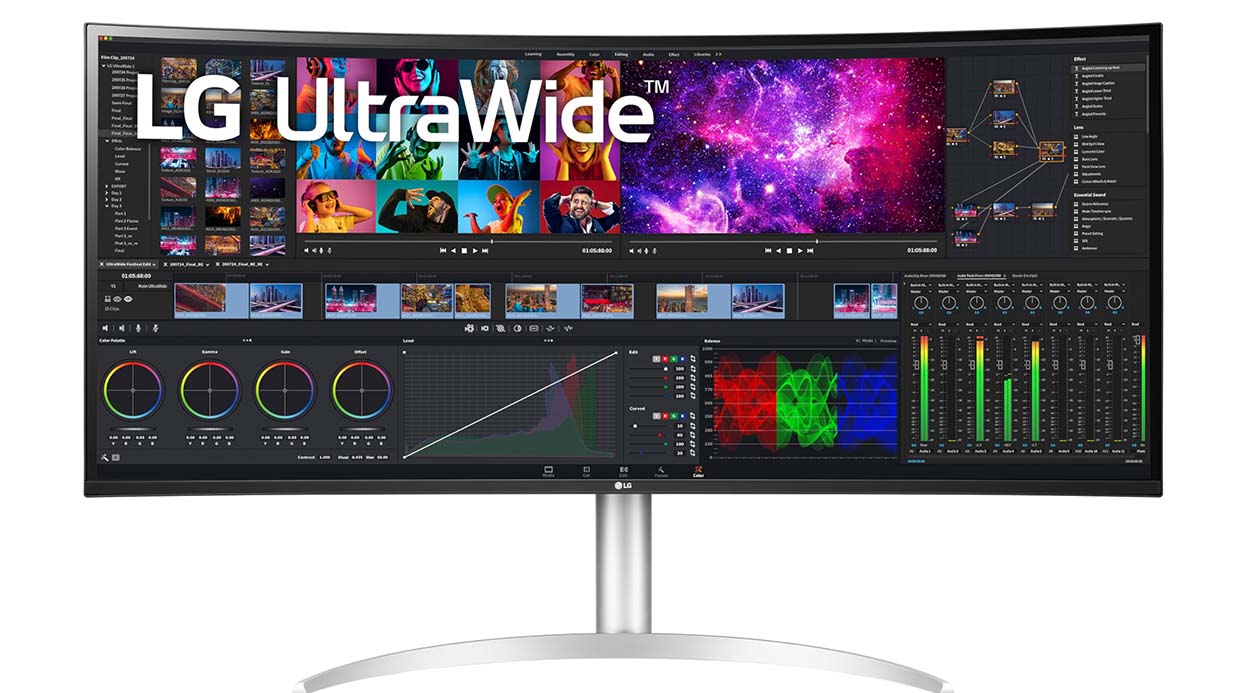
To build an efficient workspace, the monitor is crucial. I used to rely on a dual-screen setup, but in 2025 I switched to an ultra-wide monitor instead.
I’m currently using the LG 40WP95C-WA 40-inch 5K2K Ultra-Wide Monitor (available on Amazon.com). It offers a 5120×2160 resolution and a 21:9 aspect ratio. This single display lets me run two or even three windows side-by-side without bezels interrupting the flow — it’s immersive and a true dual-screen replacement. With HDR support and Nano IPS technology, colors are accurate and the display is easy on the eyes, whether I’m editing images or writing.
To keep the desk clean, I replaced the stock stand with the Ergotron HX Monitor Arm, which lets me float the monitor above the desk. The arm adjusts smoothly and can push the screen close to the wall to free up workspace.
3. Main Productivity Gear: Laptop, Docking Station, Keyboard & Mouse
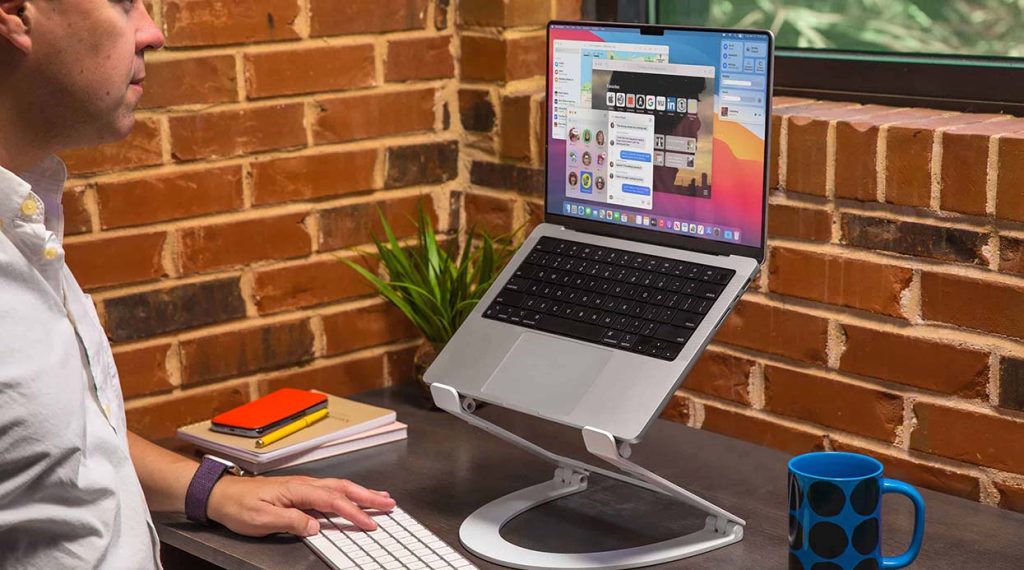
My main device is the 2025 MacBook Pro 14-inch (M4 chip). It’s powerful, with significantly improved battery life, and it’s my go-to for content creation, video editing, and running heavy design software.
To minimize cable clutter, I connected the MacBook to a CalDigit TS4 Thunderbolt 4 Dock via USB-C. This dock offers 18 ports, including dual HDMI, DisplayPort, multiple USB-A/C ports, an SD card reader, and audio jacks — everything I need to connect monitors, hard drives, microphones, and chargers. It’s the “brain” of my desktop, and I’ve hidden all cables behind the monitor.
For peripherals, I use the Logitech MX Keys S Keyboard + MX Master 4S Mouse. The keyboard feels solid and supports multi-device switching, while the mouse offers a precise scroll wheel and customizable buttons — perfect for writing, designing, and multitasking.
4. Audio Setup: Microphone and Earbuds
I’m not a full-time streamer, but daily meetings, voice memos, and recordings pushed me to upgrade my audio setup.
I have the Elgato Wave:3 USB Microphone permanently installed on my desk. It features built-in digital audio processing, automatic noise reduction, and plosive protection. It also supports audio track separation, delivering studio-quality recordings — perfect for Zoom meetings and voice notes.
To complement this, I use the Apple AirPods 4 Wireless Earbuds. The 2025 version supports enhanced spatial audio, dynamic head tracking, and improved active noise cancellation. They’re comfortable for long wear, and I use them for music, calls, and meetings throughout the day.
5. Lighting and Ambience: Not Just Brightness, But Balance
Lighting is often overlooked but critically important. Proper lighting reduces eye strain and sets the mood for productivity. I use a three-layer lighting strategy:
- Main light: A ceiling lamp with adjustable color temperature — cool light for daytime, warm light for evenings.
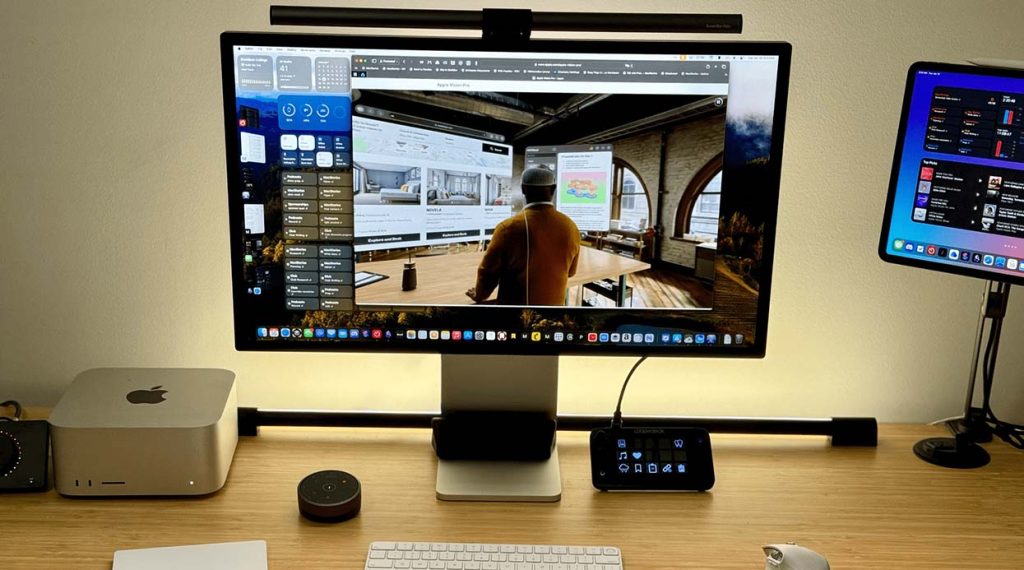
- Desk lighting: The BenQ ScreenBar Halo, mounted above the monitor, uses reflected light to illuminate the desk area without taking up space or causing glare. Brightness and temperature are adjustable.
- Ambient lighting: I installed a Govee RGB LED strip behind the desk, which syncs with music or on-screen content for a dynamic vibe at night.
This setup allows me to tailor lighting for different times of day or tasks, creating a comfortable visual environment.
6. Cable Management and Desk Organization
A clean-looking desk usually hides a lot of clever organization underneath. My golden rule: keep cables invisible and devices visible.
I use the UGREEN 2025 Cable Organizer Box to hide power strips, transformers, and excess cables. I also installed a slide-out under-desk drawer for items like notebooks, hard drives, and accessories, keeping them off the main surface.
Only frequently-used items stay on the desk, such as my drawing tablet, tablet stand, and wireless charging base — each with a designated spot.
7. Helpful Accessories & Productivity Boosters
In addition to the main devices, small accessories have made a big difference in daily efficiency:
- Twelve South Curve Flex Laptop Stand: Adjustable in height, it aligns my MacBook screen with my monitor, optimizing dual-screen use.
- ANKER MagGo 3-in-1 Wireless Charging Station: Charges my iPhone, AirPods, and Apple Watch simultaneously — no cable clutter.
- Rocketbook Smart Notebook: I jot down ideas and to-do lists here, then digitize them via app sync — preserving my love for handwriting without wasting paper.
These items may seem minor but have significantly improved my workflow.
8. Minimalism ≠ Restriction — It’s About Maximizing Value
Some people see minimalist setups as limiting, but I see it as a form of “curation.” I only keep tools that genuinely enhance my work experience and allow them to collaborate in a clean, distraction-free environment. Sitting at my desk feels like entering a well-oiled system — I know I’m ready to be productive.
9. Budget Planning and Purchase Advice
Worried about the cost? You don’t need to buy everything at once. Here’s how I recommend prioritizing:
- Monitor + Arm: This shapes your workspace layout and directly impacts comfort — start here.
- Keyboard + Mouse + Dock: These boost daily efficiency.
- Lighting + Cable Management: Improve your environment and reduce visual fatigue.
- Audio + Accessories: Upgrade as needed based on whether you do remote work or creative projects.
I bought most of my equipment from Amazon.com, which offers the latest products, authentic warranties, a wide range of accessories, and reliable returns and support.
10. Create Your Own Productivity Rhythm
Everyone’s ideal workstation looks different, but I believe the core idea of “making productivity effortless” is universal. After over a year of continuous refinement, my workspace has become both a creative tool and a mental trigger — sitting down signals it’s time to focus.
If you’re building or upgrading your own desk setup, I hope my experience gives you some practical inspiration. Don’t aim for perfection — just keep moving toward “less but better,” and you’ll eventually create a productivity haven that’s truly your own.