Tablets have become one of the most indispensable devices in my life. Whether for working from home, writing on the go, streaming entertainment, or handling urgent tasks while traveling, my tablet always delivers. With powerful devices like the iPad Pro M4, Samsung Galaxy Tab S10 Ultra, and Lenovo Tab Extreme available now, the hardware is nearly as capable as a lightweight laptop.
But I quickly realized that a high-performance tablet isn’t enough on its own. To truly unlock its full potential, the right accessories matter. Over the past year, I’ve tested a wide range of accessories—from keyboards and styluses to stands, hubs, cases, and audio equipment—and crafted a practical “tablet gear checklist” that significantly boosts efficiency.
1. Why I Depend on Tablet Accessories More Than Ever
At first, I treated my tablet like a big phone, just for videos and browsing. But once I began handling documents, meeting notes, and email on it, I realized that without a keyboard or stylus, efficiency was impossible.
As I added more accessories, my typing speed and note-taking efficiency improved. Even video editing and image processing became smoother. Accessories aren’t extras—they’re the “second productivity core.”
2. Keyboard Recommendations: Apple Magic Keyboard Pro & Logitech Combo Touch
This year I tried several keyboards, and my top picks are:
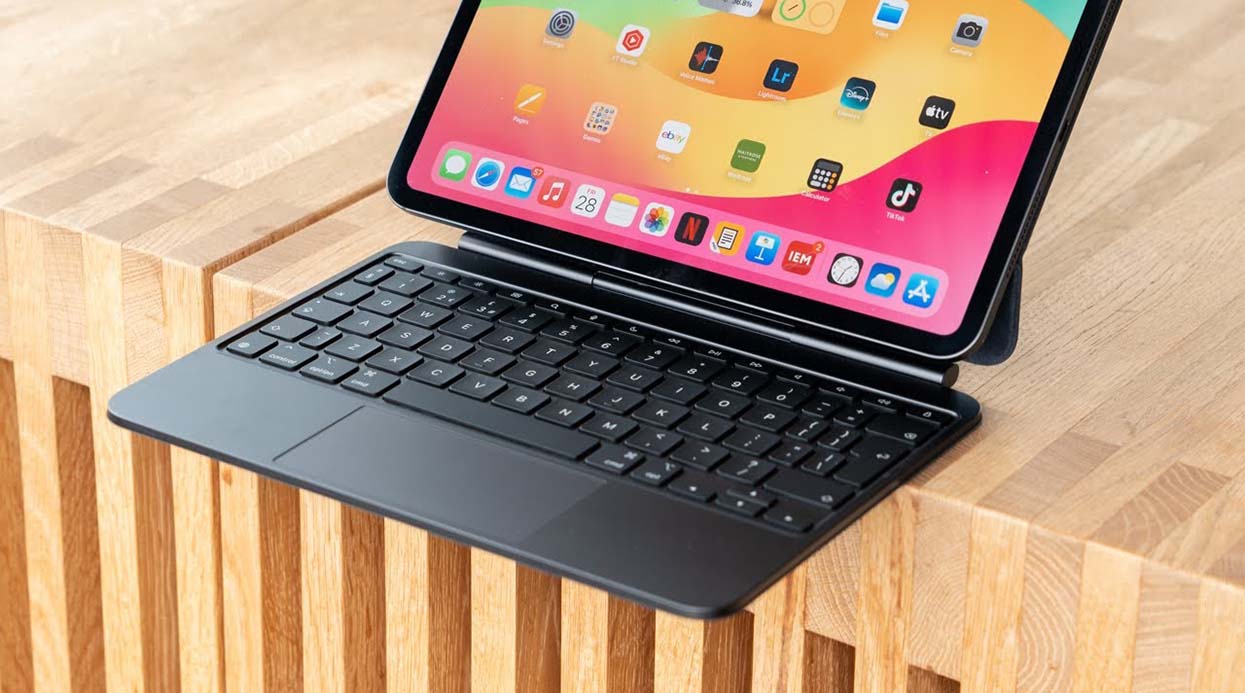
Apple Magic Keyboard Pro (for iPad Pro M4 11″/13″)
Released alongside the M4 iPad Pro, it’s my go-to work tool.
- Typing feel: Scissor-switch keys with ample travel—comfortable even for long sessions
- Built-in trackpad: Multi-touch is smooth and precise, comparable to a MacBook
- Magnetic mount: Instantly transforms into a notebook; stable even on trains
- USB-C passthrough charging: Frees up the iPad’s port for U-disk or HDD use
I bought it on amazon.com; fast delivery and sturdy packaging.
Logitech Combo Touch (compatible with iPad Air/Pro)
A budget-friendly yet capable alternative:
- Full physical key layout: Solid typing feel
- Backlight support: Great for night typing
- Detachable design: Keyboard and case separate for flexibility
- Adjustable stand: Supports multiple viewing angles
Affordable and efficient, available on amazon.com.
3. Stylus Tested: Apple Pencil Pro & S Pen (for Galaxy Tab S10 Ultra)
Apple Pencil Pro (2025 edition)
The latest Pencil adds tactile feedback, gesture shortcuts, and Find My feature:
- Natural drawing: Improved pressure and tilt sensitivity
- Lightweight body: Comfortable for long writing sessions
- Gesture shortcuts: Tap to switch pens or erasers—so efficient
- Magnetic wireless charging and pairing: Seamless
I use it for mind maps and meeting notes—it’s faster than pen and paper. Purchased from amazon.com with a sleeve.
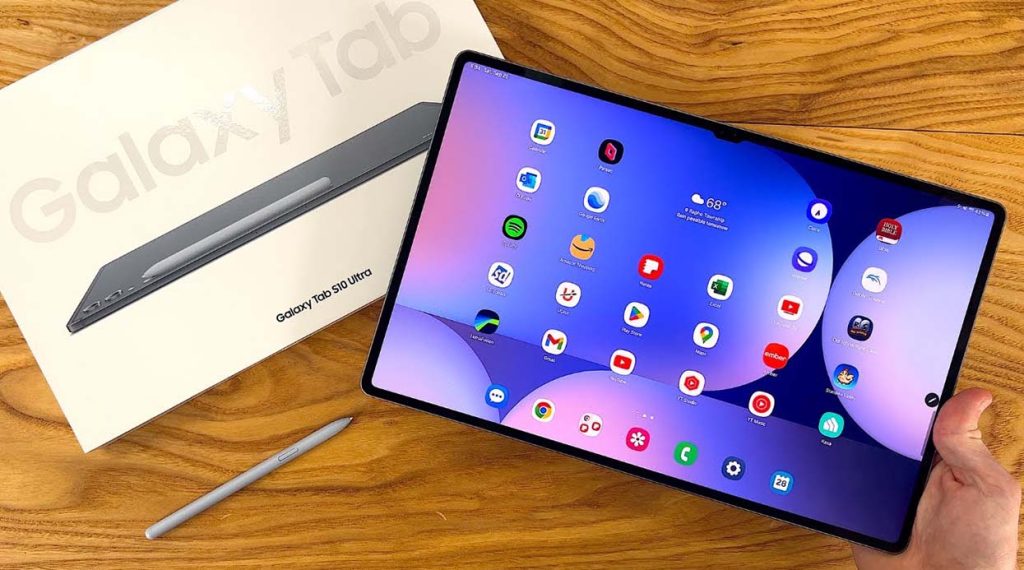
S Pen for Galaxy Tab S10 Ultra
Samsung’s flagship stylus performs just as well:
- Ultra-low latency: Almost no lag, ideal for quick notes
- Precise pressure sensing: Great for annotating architectural drawings
- Remote control support: Useful for PPTs or camera
- Magnetic wireless storage and charging: Hard to lose
Not quite as tactile as the Apple Pencil Pro, but excellent within Samsung’s ecosystem.
4. Hubs and Adapters: Multi-Port Freedom
When I need to connect an external display, U-disk, HDD, or audio interface, a multi-port USB-C hub is essential:
Anker 533 USB-C Hub (2025 edition)
- Features: 4K HDMI, USB-A, USB-C, SD/TF card readers
- Supports 100W pass-through charging: Use while charging
- Cross-platform compatibility: Works with iPad Pro, Galaxy Tab, Surface Pro
- Metal shell: Excellent heat dissipation and durability
Bought from amazon.com, paired with a keyboard—perfect for desk setup.
5. Stands & Cases: Comfort and Protection
MOFT Floating Stand (universal for iPad/MacBook)
- Adjustable angles: Supports both portrait and landscape
- Transforms a tablet into a laptop with a keyboard
- Ultra-thin foldable design: Easy to carry
- Comes with a pouch for added convenience
ESR Magnetic Case (for iPad Pro series)
- Magnetic attachment: Quick to install or remove
- Apple Pencil storage: Secure and convenient
- Multiple viewing angles: Stable for writing and watching
- Full-wrap protection: Good drop resistance
I love its minimalistic design—it matches the slim iPad M4 perfectly.
6. Audio Equipment & Noise-Cancelling Headphones
While tablet speakers have improved, I prefer headphones for immersive focus:
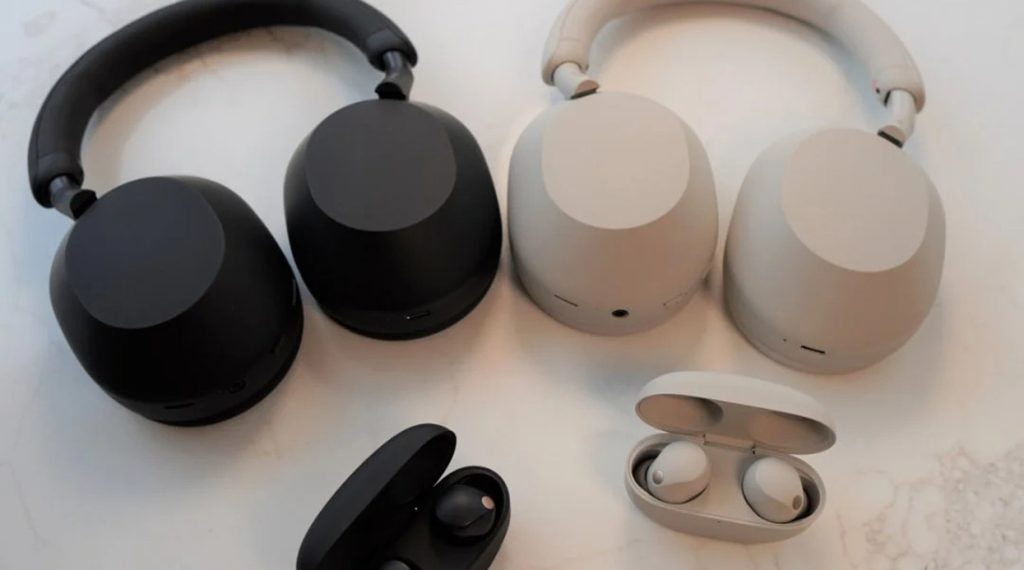
Sony WH-1000XM6 (2025 edition)
- Top-tier noise-cancellation: Blocks coffee shop or subway noise
- Multi-point Bluetooth: Seamless switching between tablet and phone
- Comfortable fit: No ear pressure even during long use
- Exceptional battery: Can go a week without charging
Perfect for audio editing or long video calls on a tablet.
7. Accessory Combos for Different Scenarios
| Scenario | Accessory Combo |
| Daily Work | Apple Magic Keyboard Pro + Apple Pencil Pro + Anker Hub |
| Business Travel | Logitech Combo Touch + MOFT Stand + Razer wireless mouse |
| Creative & Reading | Apple Pencil Pro + ESR Magnetic Case + Sony WH-1000XM6 |
Each combo significantly enhances tablet performance for its intended use—truly “flexible working, seamless switching.”
8. Accessories Are the Soul of the Tablet Experience
In my experience, a tablet’s power isn’t just its raw performance—it’s the limitless possibilities unlocked by accessories. From typing, drawing, editing, to meetings, entertainment, and reading, accessories enable seamless transitions across all scenarios and have even gradually replaced my need for a laptop.
A tablet in today’s world isn’t just “a bigger phone.” It’s a customizable mobile productivity hub. With the right accessories, it can function as your notebook, canvas, book, or even a controller for your main device.
If you want your tablet to be your primary machine like I do, carefully choosing your accessories is the first crucial step.